 0207 608 5500





Search ideas, news and case studies
Blog Categories
Claude for Small Business: What It Is and How to Get Started
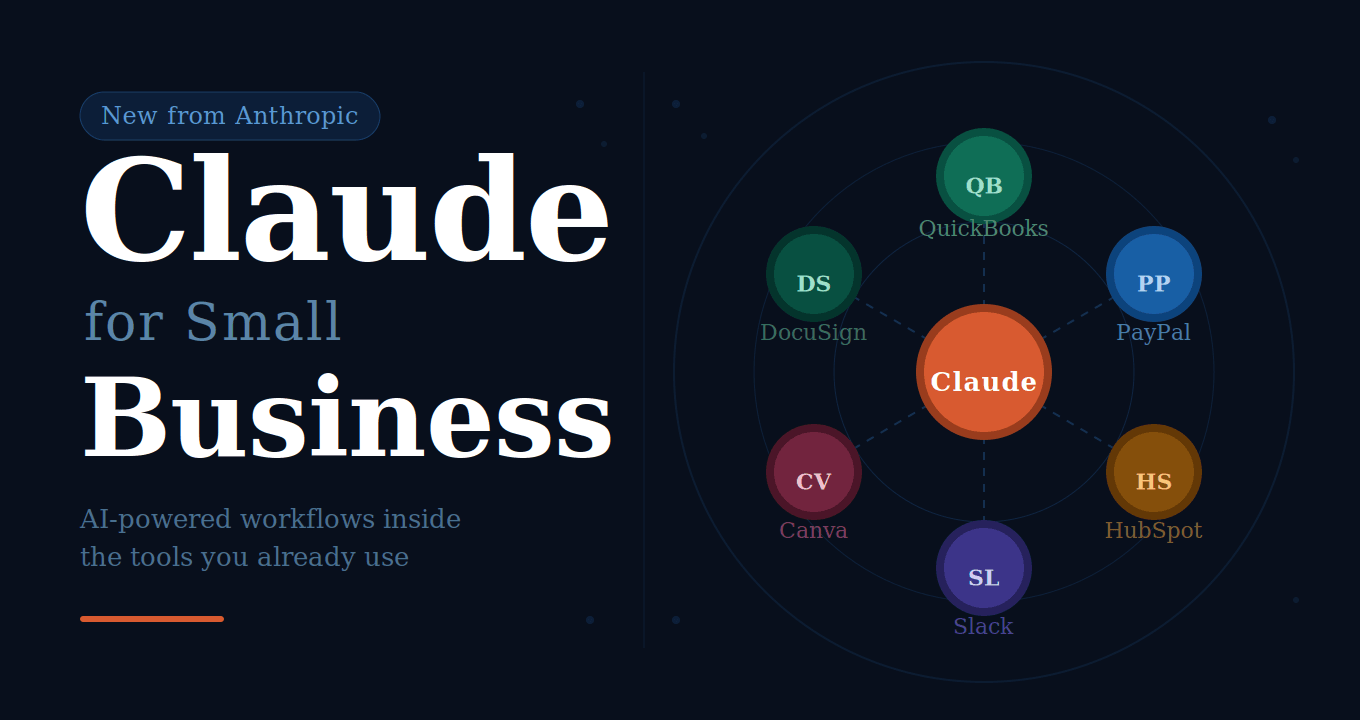
Anthropic has launched Claude for Small Business, a package of AI-powered workflows and connectors designed to run inside the tools small business owners already use every day.
Claude for Small Business brings together integrations with platforms like QuickBooks, PayPal, HubSpot, Canva, and DocuSign, along with 15 ready-to-run workflows covering everything from payroll planning to marketing campaigns. It runs through the Claude Cowork desktop app and requires no IT support to set up.
Key Takeaways
- Claude for Small Business is a one-click plugin that connects Claude to the tools you already use, including QuickBooks, PayPal, HubSpot, Canva, DocuSign, Google Workspace, Microsoft 365, and Slack.
- It ships with 15 ready-to-run workflows and 15 skills across finance, operations, sales, marketing, HR, and customer service.
- You stay in control. Claude does the work; you approve the outcome before anything goes out.
- Your existing tool permissions carry over. Claude cannot access data in your connected apps that the relevant user does not already have access to.
- Anthropic does not train on your business data on Team and Enterprise plans.
- A free online course, AI Fluency for Small Business, is available on demand and teaches the 4D Framework for practical, responsible AI use.
- Setup requires no IT support and takes minutes. The plugin is toggled on inside the Claude Cowork desktop app.
What Is Claude for Small Business?
Claude for Small Business is a one-click plugin that connects Anthropic's AI assistant, Claude, to the tools small businesses depend on.
Rather than switching between platforms or setting up complex automations, you connect your existing apps once and ask Claude to get things done across them. It can pull your cash position from QuickBooks, reconcile it against PayPal settlements, chase overdue invoices, and draft reminder emails, all in a single workflow.
The idea is that you stay in control of every decision. Claude does the groundwork; you approve before anything sends, posts, or pays.
What Can It Do?
Claude for Small Business ships with 15 ready-to-run agentic workflows and 15 skills built around the tasks owners say slow them down most.
The workflows span six areas of business: finance, operations, sales, marketing, HR, and customer service.
Some of the core capabilities include:
Plan payroll with confidence. Claude checks your QuickBooks cash position against incoming PayPal settlements, builds a 30-day forecast, ranks overdue invoices, and queues payment reminders for you to review and send.
Close the month with fewer errors. It reconciles your books against settlements, flags anything that does not match, writes a plain-English profit and loss narrative, and exports a close packet you can send straight to your accountant.
Get a morning brief. Surface your most important business insights on a schedule, all on one page.
Run a marketing campaign. Claude can identify a slow revenue period in your data, analyse past HubSpot campaign performance, draft a promotional strategy, and generate the campaign assets in Canva, ready for you to review before anything goes live.
Other built-in skills include an invoice chaser, a margin analyser, a month-end prep workflow, a tax-season organiser, a contract reviewer, a lead triager, and a content strategist.
Integrations
Claude for Small Business connects to the following platforms. Each handles a specific area of your business:
The full and most up-to-date list of connectors is available at claude.com/connectors.
How to Install It
Claude for Small Business runs inside Claude Cowork, which is available as a desktop app. There is no IT support needed and no lengthy setup process.
Here is how to get started:
Step 1: Download the Claude desktop app. Visit claude.com/download and install the app on your computer.
Step 2: Open Claude Cowork. This is the workspace inside the desktop app where workflows run.
Step 3: Download the Claude for Small Business plugin. You can find it at claude.com/plugins/small-business.
Step 4: Toggle the plugin on. In Claude Cowork, navigate to the plugin toggle and turn it on.
Step 5: Ask Claude to get you started. Once the plugin is installed, type "get me started" and Claude will walk you through connecting your tools and running your first workflow.
Step 6: Connect your tools. Connectors are one click. Your existing permissions carry over, so if an employee cannot access something in QuickBooks or DocuSign today, they cannot access it through Claude either.
A step-by-step tutorial is available at claude.com/resources/tutorials.
Pricing
Claude for Small Business is available on the Claude Pro/Max plan for individuals and the Claude Team plan for whole-business access. Current pricing is available at claude.com/pricing.
AI Fluency for Small Business: The Free Course
Alongside the product launch, Anthropic has released a free online course: AI Fluency for Small Business.
The course is designed to help small business owners and their teams understand how to use AI practically and responsibly, not just the tools themselves.
What the course covers
The curriculum is built around the 4D Framework: Delegation, Description, Discernment, and Diligence. These are the four skills identified as most important for effective AI use in a business context.
The course covers:
- How AI works and where its limitations lie
- How to delegate tasks to AI and refine the outputs
- How to stay appropriately in the loop on automated work
- How to use AI transparently and responsibly with customers and colleagues
Frequently Asked Questions
What is Claude for Small Business?
It is a package of AI-powered workflows and integrations that connects Claude to tools like QuickBooks, PayPal, HubSpot, and Canva, so small business owners can run common tasks across those platforms from a single place.
Do I need IT support to set it up?
No. Connectors are one click and the setup guide walks you through connecting your first tools and running your first workflow. The whole process can be completed on the day you sign up.
What tools does Claude for Small Business connect to?
At launch, integrations include Intuit QuickBooks, PayPal, HubSpot, Canva, DocuSign, Google Workspace, Microsoft 365, and Slack. The full connector list is at claude.com/connectors.
Can my employees access data they would not normally be able to see?
No. Claude respects the permissions you have already set in each connected tool. If an employee cannot see something in QuickBooks or DocuSign today, they cannot see it through Claude.
How much does it cost?
Claude for Small Business is available on Claude Pro/Max (for individuals) and Claude Team (for whole-business access). Current pricing is at claude.com/pricing.
What is the AI Fluency for Small Business course?
It is a free online course that teaches small business owners and their teams how to use AI practically and responsibly. It covers the 4D Framework (Delegation, Description, Discernment, and Diligence) and is available on demand at anthropic.skilljar.com/ai-fluency-for-small-businesses.
Is the AI Fluency course free?
Yes. Registration is free and does not require a Claude or Anthropic account. A completion certificate is included.
Does Claude approve actions before they are taken?
By default, you approve each step before anything sends, posts, or pays. When you are ready, you can allow certain workflows to run end-to-end.
This article is based on information published by Anthropic in May 2026. For the most up-to-date details on features, pricing, and availability, visit claude.com/solutions/small-business.
